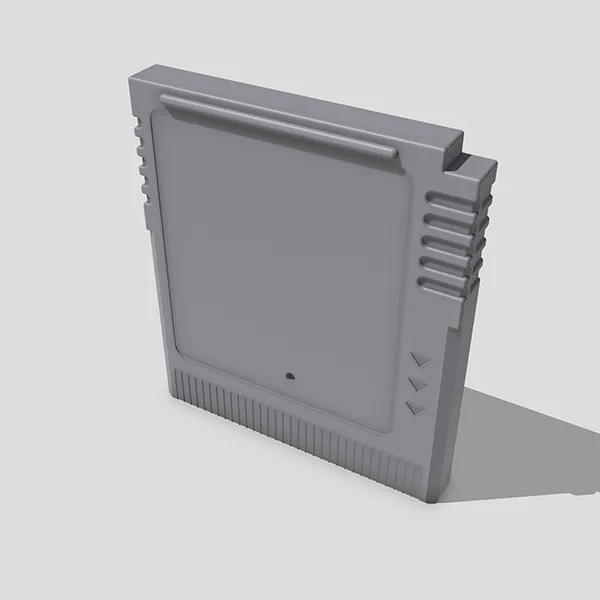
This is the plastic case for a custom Game Boy cartridge, plus a label template so the finished cart gets a proper label instead of bare plastic.
The repo has:
dingus-kart_FRONT.stlanddingus-kart_BACK.stl, the two halves of the shell (STL is the standard format for 3D models)dingus-kart_label-template.psd, a Photoshop file- A 360-degree turntable GIF of the shell
Two days after it went up, I adjusted the fit of the top tabs, added a small nub on the back to help keep the circuit board in place, and thickened the screw post.
Read this before printing
The walls are thin in places, too thin for an FDM printer, the type that melts filament, to lay down cleanly. If you send it to a print service, pick SLS, where a laser fuses powdered plastic. If you want to print a shell at home tonight, use the FDM-Friendly Game Boy Cartridge instead. It drops the surface detail to make the walls printable, and it’s on MakerWorld with my print settings already saved.
The label
Print it on adhesive paper and round the corners at a 2 mm radius. Square corners won’t fit inside the cart’s rounded ones. The template uses Univers Condensed, which ships with a lot of Windows software but which I can’t include. Oswald Bold from Google Fonts is the stand-in.
If you improve it
CC BY-NC-SA 4.0. Pull requests (GitHub’s way of sending me your changes) are open if you improve the shell.