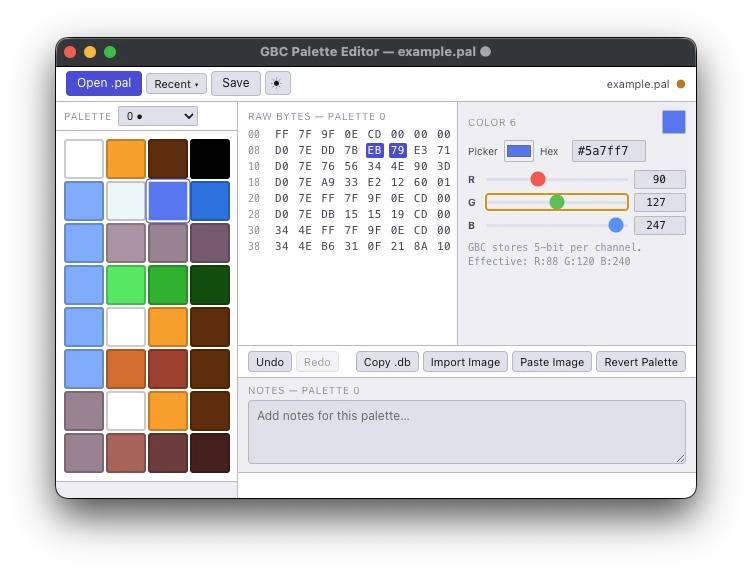
Some people take games made for the original Game Boy, the one with four shades of green, and hack color into them for the Game Boy Color. That’s called colorizing, and it’s a kind of romhack, a fan-made edit of a game. A big part of the job is palettes, the sets of colors the game gets to use, and this app edits the .pal files they live in.
Nearly every tool for it is Windows-only. That’s fine if you use Windows. I don’t, mostly. I wanted to try colorizing on my Mac, and the options were “run it under Wine and hope” (Wine runs Windows programs on other systems, most of the time) or “just get a Windows machine.” I wasn’t going to boot into Windows like it’s 2003, so I started rebuilding the tools I needed, and this is the first one.
It’s a recreation of toruzz’s GBC Palette Editor. toruzz built the original, and his blog (opens in a new tab) on Game Boy colorization is what I leaned on the whole time. If you’re on Windows, use his.
Swatches, sliders, raw hex
- Open, edit, and save
.palfiles - All 32 colors of a palette block in a swatch grid, with the raw hex alongside
- Per-channel RGB editing with correct 5-bit-per-channel Game Boy Color math
- Sample colors from an image file or the clipboard
- Copy .db: export the current block as plain uppercase hex, no spaces, eight rows of eight bytes, ready to paste into a hex editor or patcher
- Undo and redo within a session
- Per-palette-index notes, stored in a
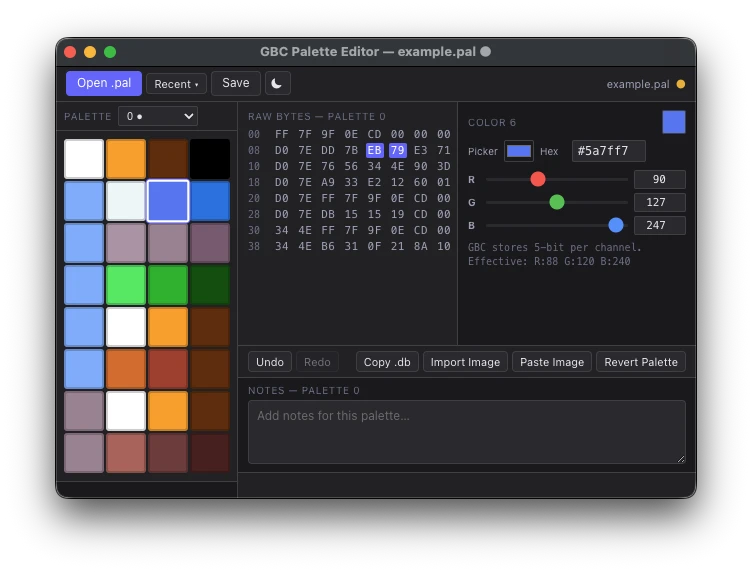
.notes.jsonsidecar next to the.pal(move the.palwithout it and the notes stay behind) - Light and dark theme, recent files, drag-and-drop
About the 5-bit thing: each color channel (red, green, blue) only goes from 0 to 31. The common shortcut for showing that on a normal screen, multiplying by eight, comes out slightly off at the bright end, so the editor does the real conversion.
Download
Version 1.0.0 is a signed, notarized Apple Silicon build, so macOS shouldn’t throw the unidentified-developer warning at you. The zip includes the app, a short README, and example.pal, four palette blocks pulled from a real colorization project so you have something to poke at before touching your own files.
Rough edges
One file at a time. Palette count is inferred from file size, so a file that isn’t a multiple of 64 bytes gets a warning. It’ll still load the complete blocks and keep the leftover bytes when you save. Undo history dies when you close the app. And it’s Electron, a web page dressed up as a desktop app, because I’m a web developer and I was not going to learn Swift to ship a small utility. The repo includes a legal addendum from one H. Maury Spiderman, Esq., which carries no legal authority.
Why it’s shaped like this
The plan is a small set of single-purpose tools that together cover the Game Boy colorization workflow on a Mac, each one small enough to use without a tutorial. Not a full ROM hacking suite, and not trying to be one.
Free to use, modify, and share for non-commercial purposes. You cannot sell it.